Project 03 AI Tool · Personal
AI Illustration Creator
AI image tools generate fast and forget faster - ask twice, get two different styles. For product teams that need an illustration system, that's a dealbreaker. This tool makes style a persistent, enforceable thing instead of a lucky prompt.
- Type
- AI generation tool
- Role
- Everything - concept, design, build
- Core idea
- Style as a locked, reusable asset
- Born from
- A problem I hit in my own work
At a glance
- What it is
- An AI tool that generates illustration systems - not one-off images - by locking a style and enforcing it across every asset.
- The problem
- AI image generation drifts off-style between prompts, which makes it unusable for products that need a consistent illustration language.
- My role
- Everything - concept, UX, visual design, and the build itself.
- Key idea
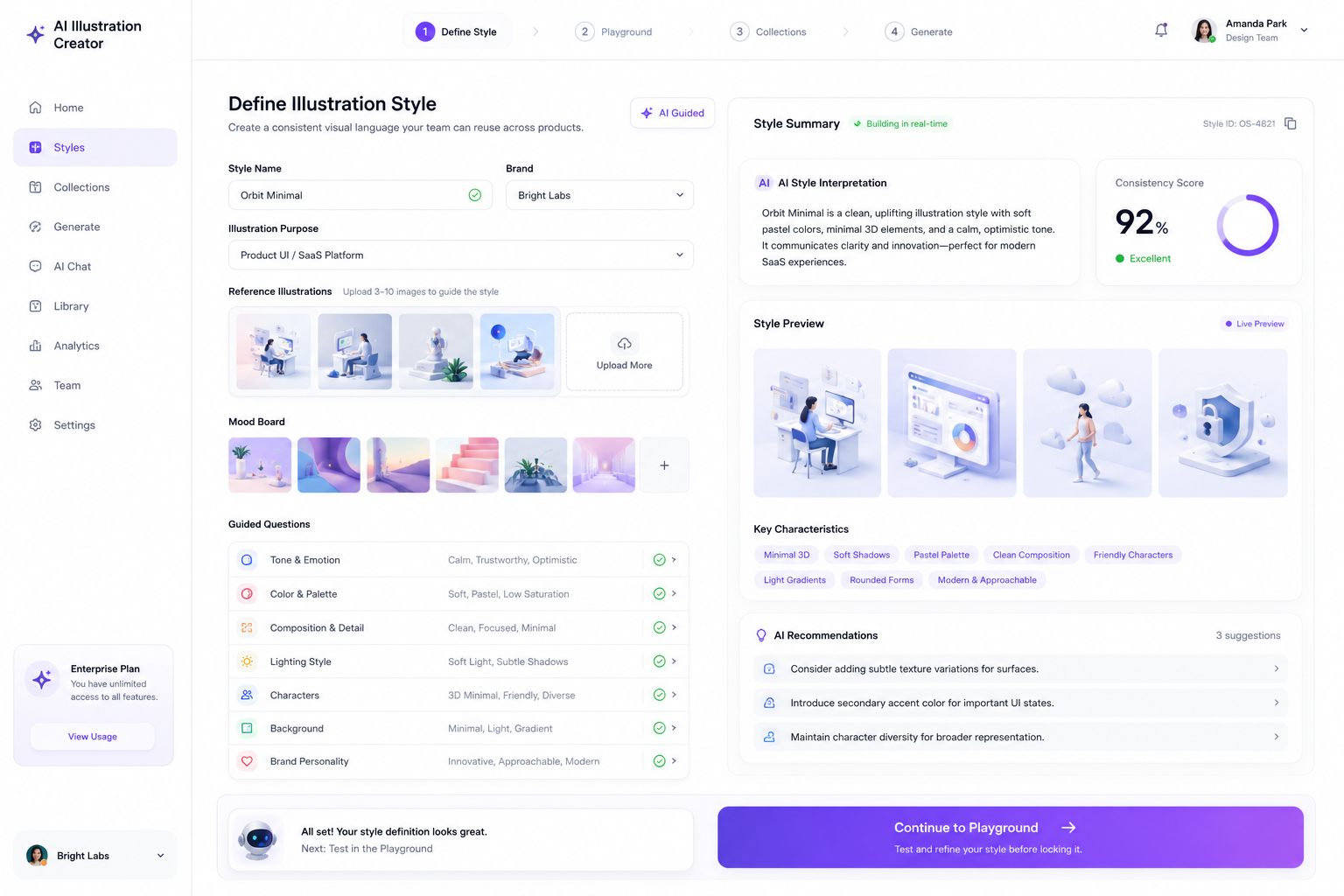
- Style as a first-class, reusable asset: defined once with references and guided questions, tested in a playground, then locked.
- What it shows
- Applying design-system discipline to generative AI - constraints as the feature, not the limitation.
- Status
- Working build, born from a problem in my own workflow.
How it works
Four steps, one constraint: once a preset is saved, nothing downstream can drift from it - even the chat that keeps refining the output.
The product, in three screens
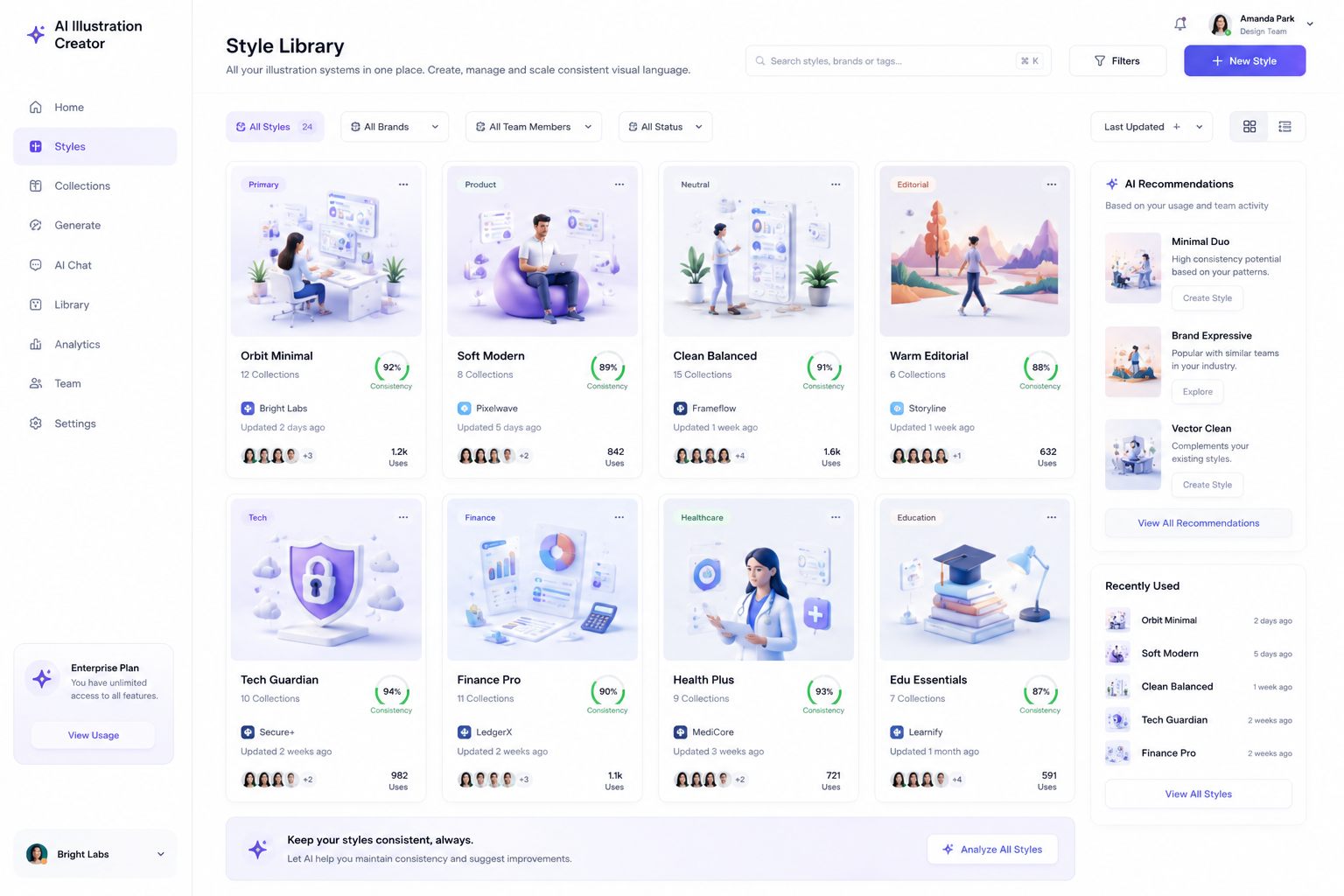
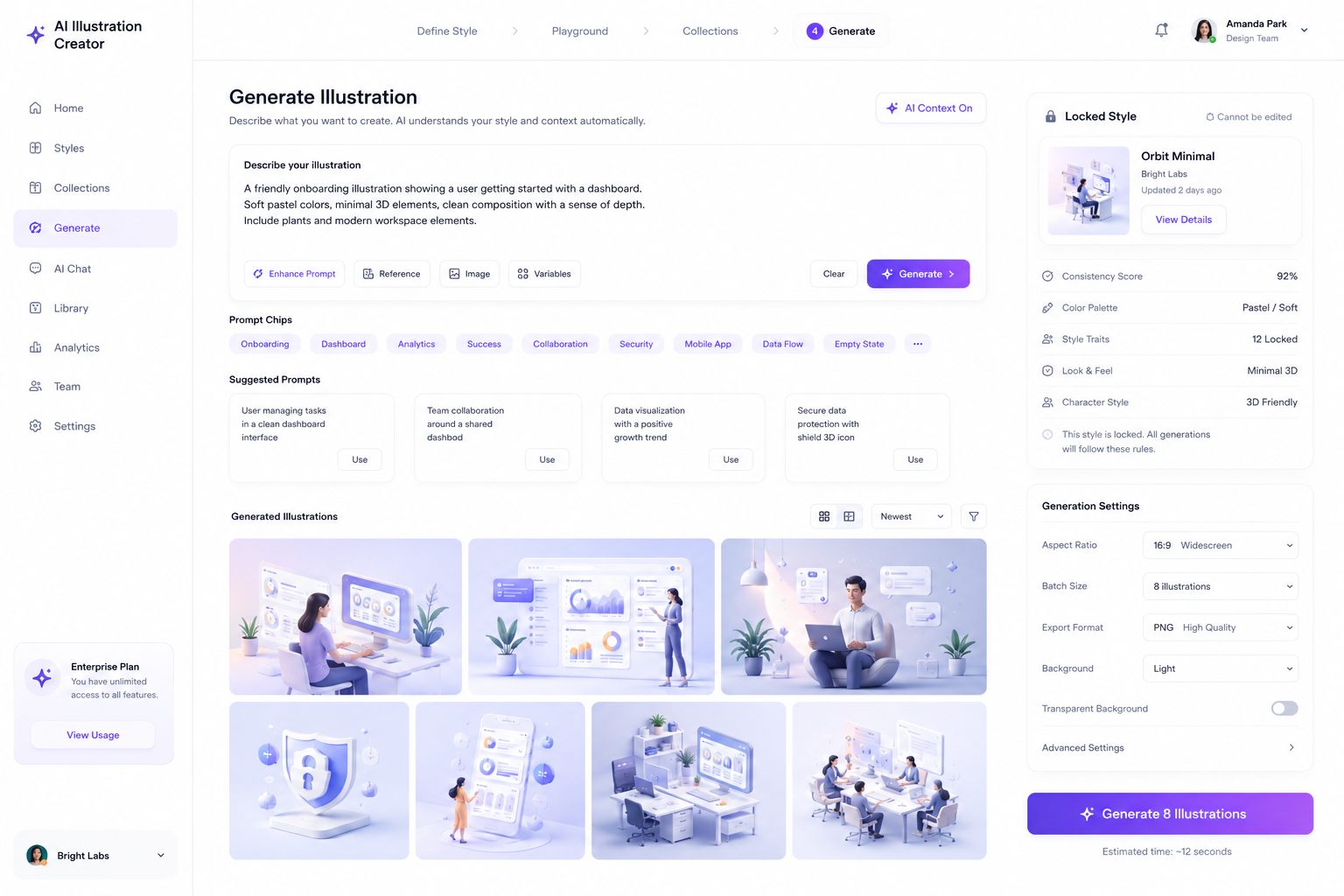
The core journey - the three moments that make style consistency enforceable instead of aspirational.
What makes it different
- Collections keep work organized. Every project starts as its own collection - error states, empty states, loading, travel, dashboard - so brand assets and generated output never bleed across contexts.
- Style presets are first-class objects. Build one from reference uploads, an AI prompt, and manual tuning, then save it - the result is a reusable preset, not a throwaway prompt.
- Presets, once saved, can't drift. Generation always reads the selected preset; there's no way to accidentally generate off-style.
- Iteration without drift. An AI chat refines any illustration, but output stays constrained to the saved preset - a user can push the details, never break the system.
Why it exists
The same reason as the Figma plugins: consistency shouldn't depend on vigilance. If a system can enforce the standard, the person is free to do the part machines can't - deciding what's worth illustrating in the first place.